
Correctness
Spelling, grammar and punctuation.
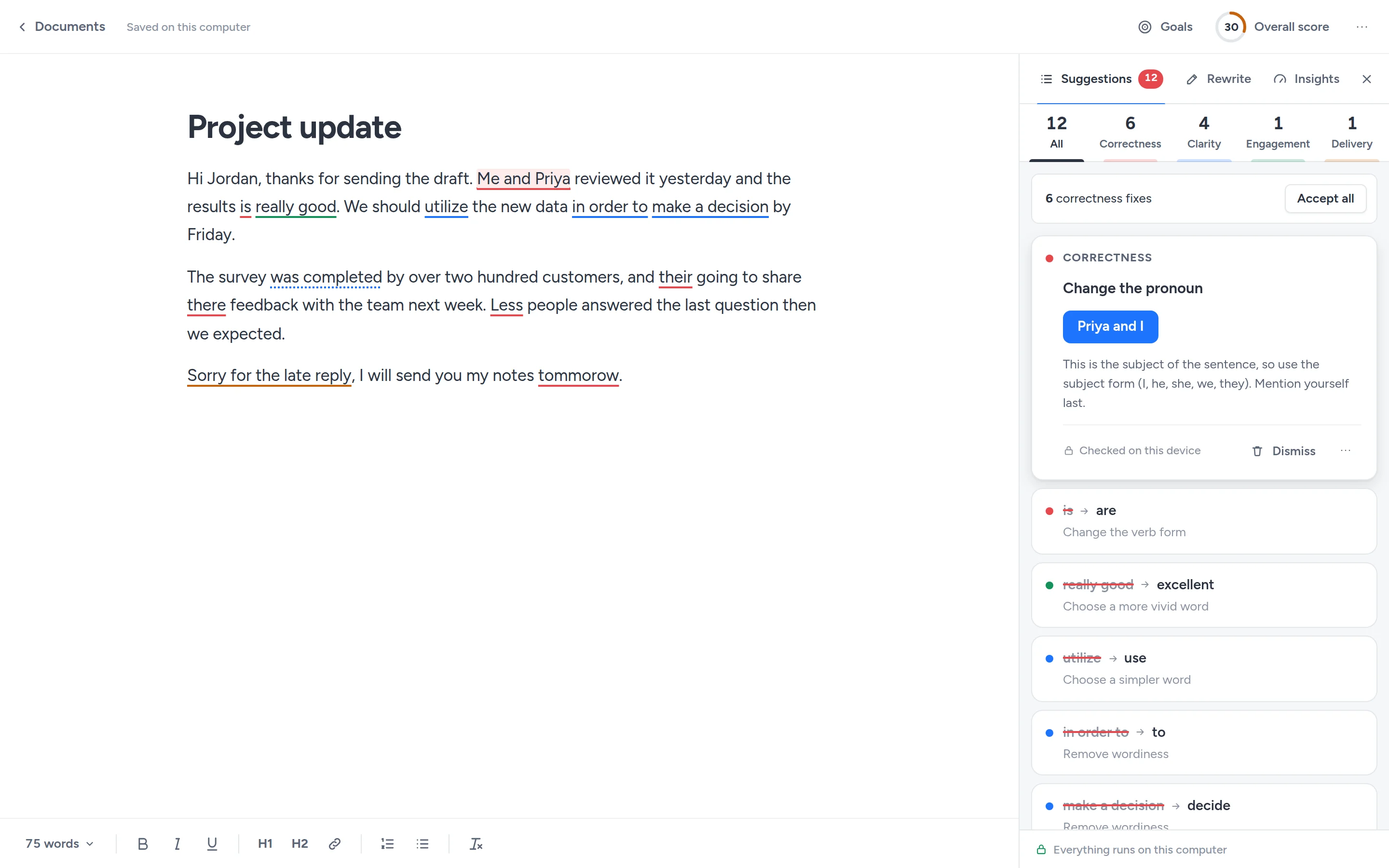
Me and PriyaPriya and Ithe results isthe results aretommorowtomorrow
Oppenly underlines spelling, grammar, clarity and tone problems as you type on almost any website, and fixes them in one click. It runs entirely in your browser. Free and open source.
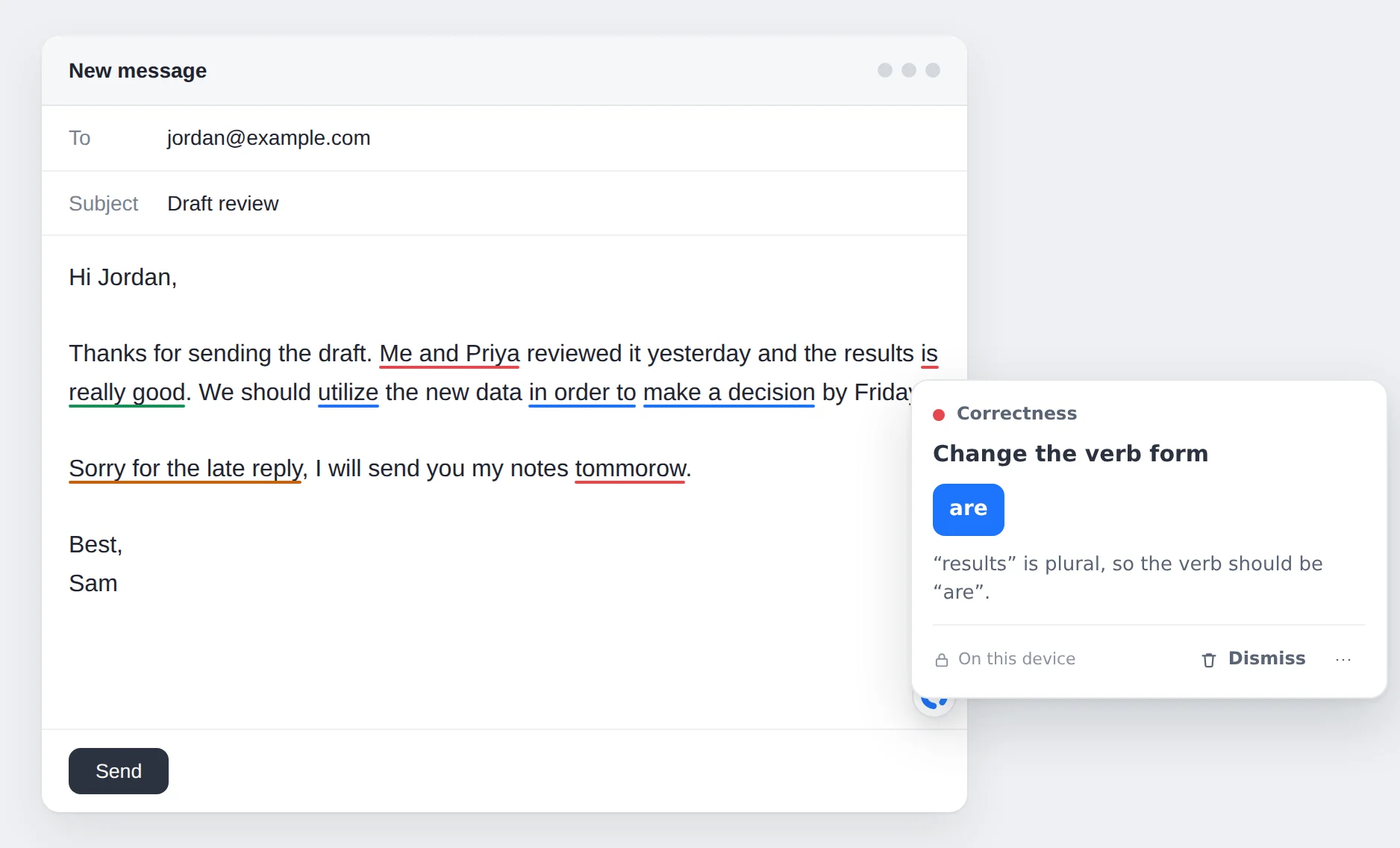
The same categories you may know from other writing assistants, each with its own colour. These examples come straight from Oppenly’s checks.
Spelling, grammar and punctuation.
Wordy phrases, passive voice and hard-to-read sentences.
Bland, overused and repeated words.
Tone, confidence and politeness, tuned to your goals.
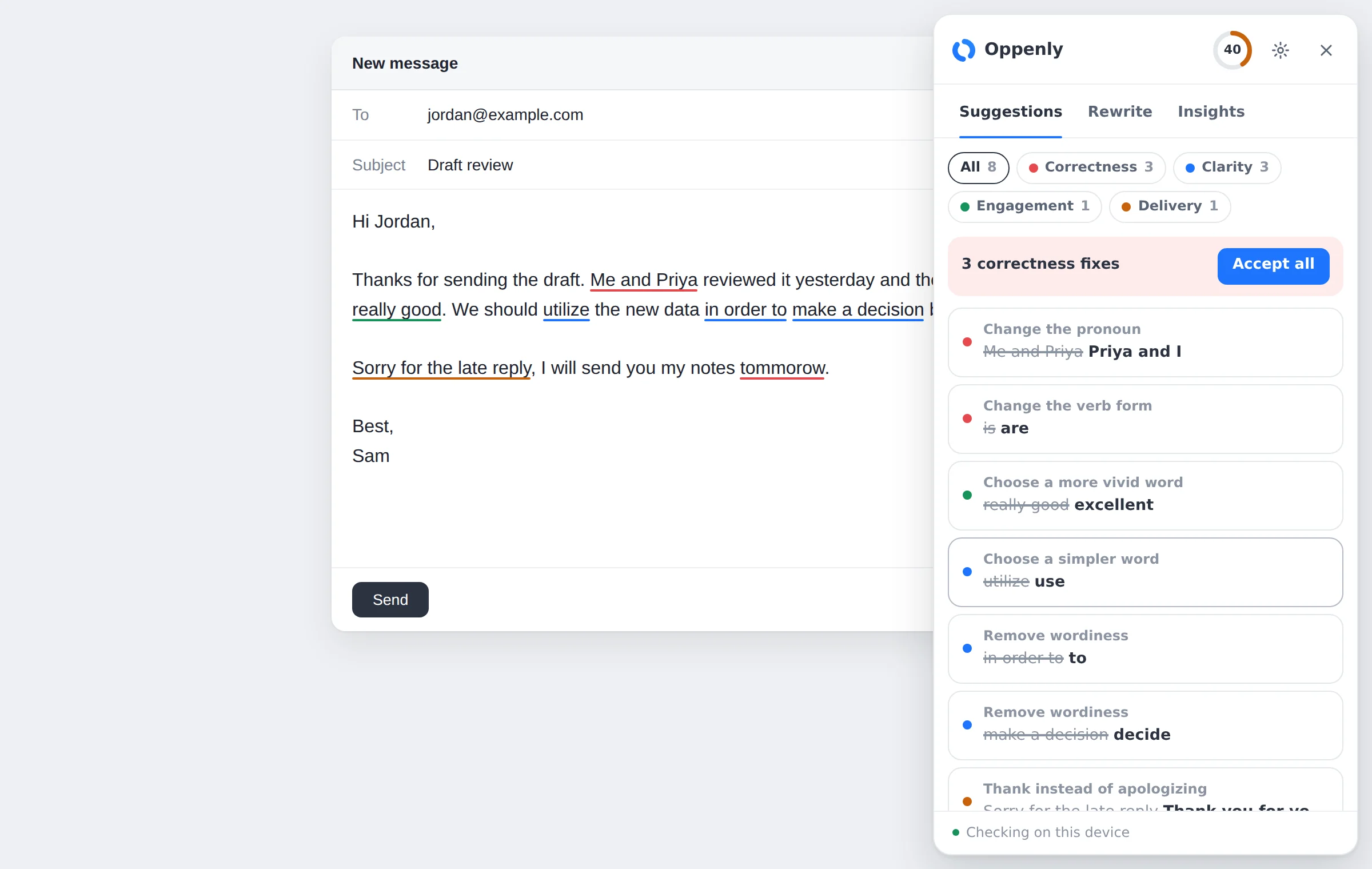
Click the Oppenly button in the corner of a text box to see all suggestions for it. Accept every spelling and grammar fix at once, or go through them one by one. The Insights tab shows the tone of your text, reading time and an overall score.
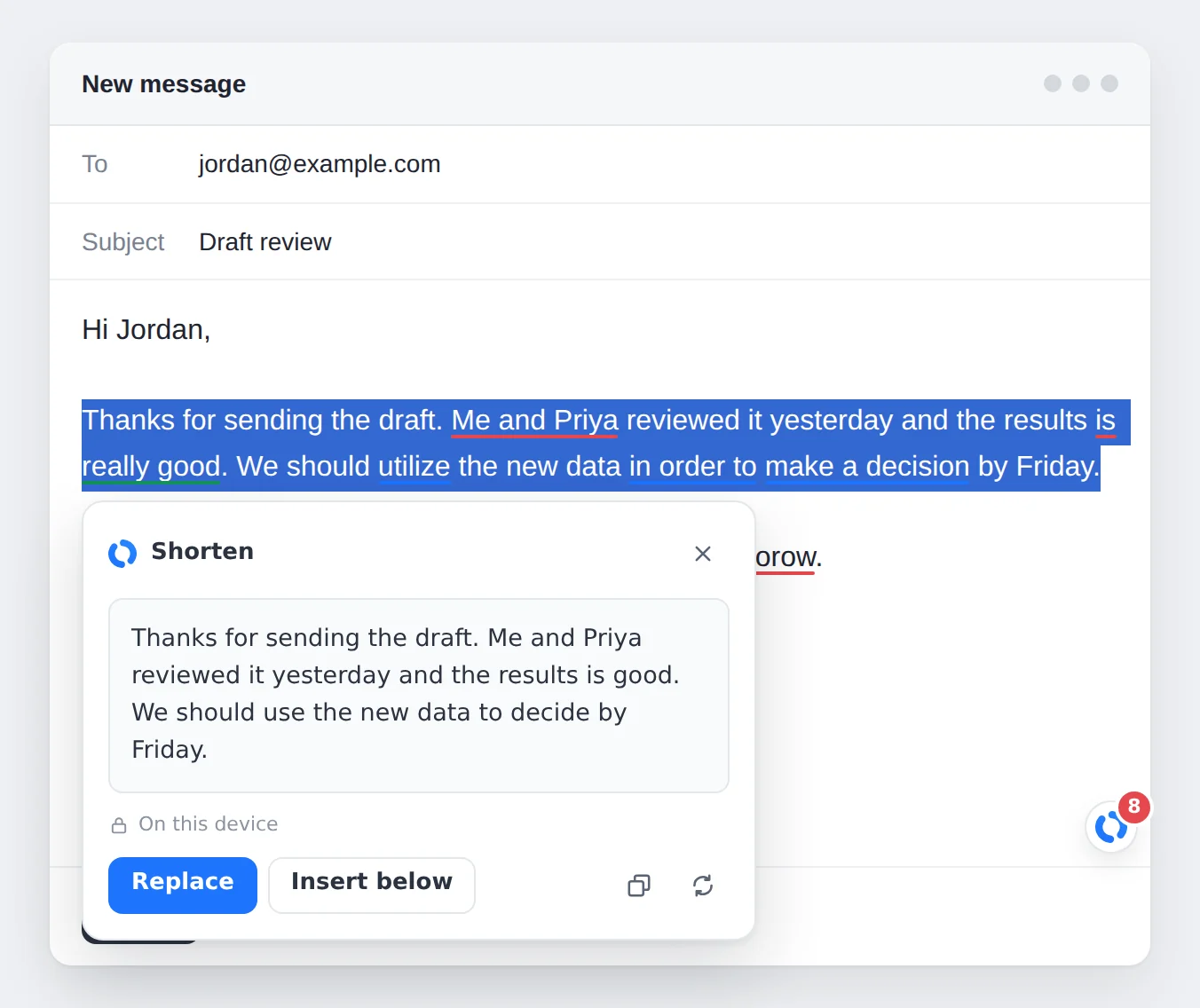
Select text to shorten it or make it more formal, friendlier or more confident. These rewrites run on your device. Connect an AI provider to add options like “improve”, “expand” and your own instructions.
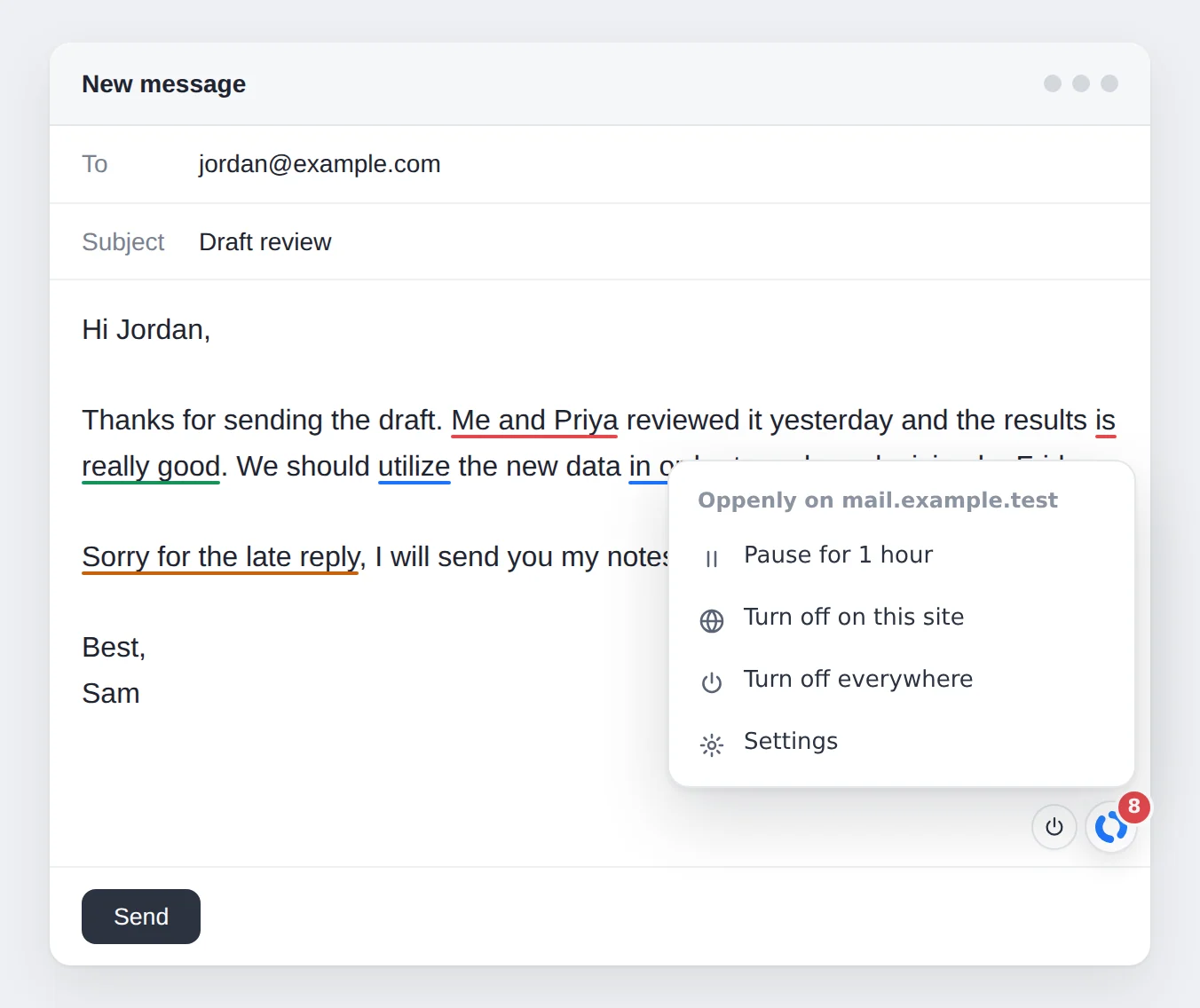
Pause Oppenly for an hour, turn it off on one site or everywhere, straight from the button in the text box. It stays out of code editors and password fields.
Most writing assistants send everything you type to their servers. Oppenly doesn’t have servers.
The grammar engine and Oppenly’s style rules run inside your browser. Your text is never sent anywhere to be checked.
There is nothing to sign up for. Oppenly collects no usage data, sets no cookies and shows no ads.
Connect an AI provider with your own key, or a model on your computer. Oppenly asks for your consent first and sends text only to the provider you chose.
All of the code is public under the Apache 2.0 license, so anyone can check these claims.
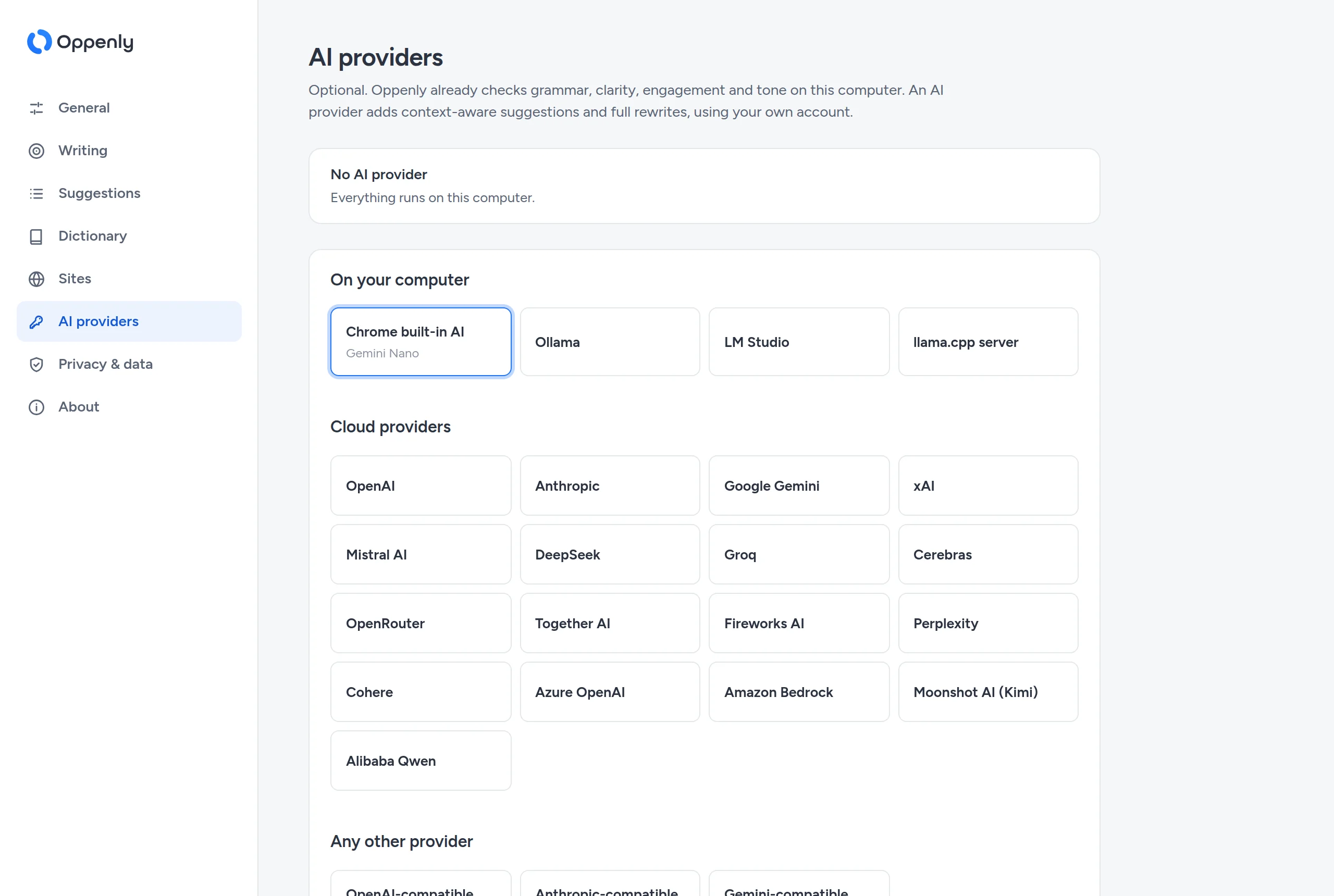
Oppenly works without AI. When you want context-aware suggestions and full rewrites, pick a provider and paste your key. There is no prompt limit: you pay the provider for what you use, or nothing if the model runs on your computer.
Plus any server compatible with the OpenAI, Anthropic or Gemini APIs. Providers in blue run on your computer.
The Oppenly web app is a document editor with the same checks, plus goals, performance stats, formatting, and Word, OpenDocument and Markdown import and export. It runs from the source code on your own computer and keeps documents in your browser.
Needs Node.js 20 or later and
pnpm. Then open
http://localhost:4870.
git clone https://github.com/shivashis-adhikari/Oppenly.git
cd Oppenly
pnpm install
pnpm webGrammarly does more in some places: it checks for plagiarism and works in desktop apps and Google Docs. Here is where the two differ most.
| Feature | Oppenly | Grammarly Free | Grammarly Pro |
|---|---|---|---|
| Price | Free | Free | $12 a month billed yearly, or $30 monthly |
| Account needed | No | Yes | Yes |
| Where your text is checked | On your device | On Grammarly’s servers | On Grammarly’s servers |
| AI prompts | No limit, with your own provider | 100 a month | 2,000 a month |
| Choose your AI model, or run one locally | Yes | No | No |
| Source code | Public (Apache 2.0) | Closed | Closed |
Grammarly details are from its public plan information as of September 2026 and may change. Grammarly is a trademark of its owner. Oppenly is an independent project and is not affiliated with or endorsed by Grammarly.
Yes. There is no paid plan, no ads and nothing to sell. If you connect a cloud AI provider, that provider bills you directly for what you use.
Yes. Checking and the built-in rewrites work without an internet connection. Only cloud AI providers need one.
In text boxes and rich-text editors on most websites: email, social media, chat, forms and content tools. It does not work in Google Docs yet, because Google Docs draws text in its own way and only allows approved extensions to read documents.
English, in American, British, Canadian, Australian or Indian spelling.
Only the text you check or rewrite and instructions for the task, sent with your key to the address you set up. Nothing else from the page or your browser. You can remove a provider at any time.
Chrome, and browsers built on it such as Microsoft Edge and Brave. The web app runs in any modern browser.